01
Live players
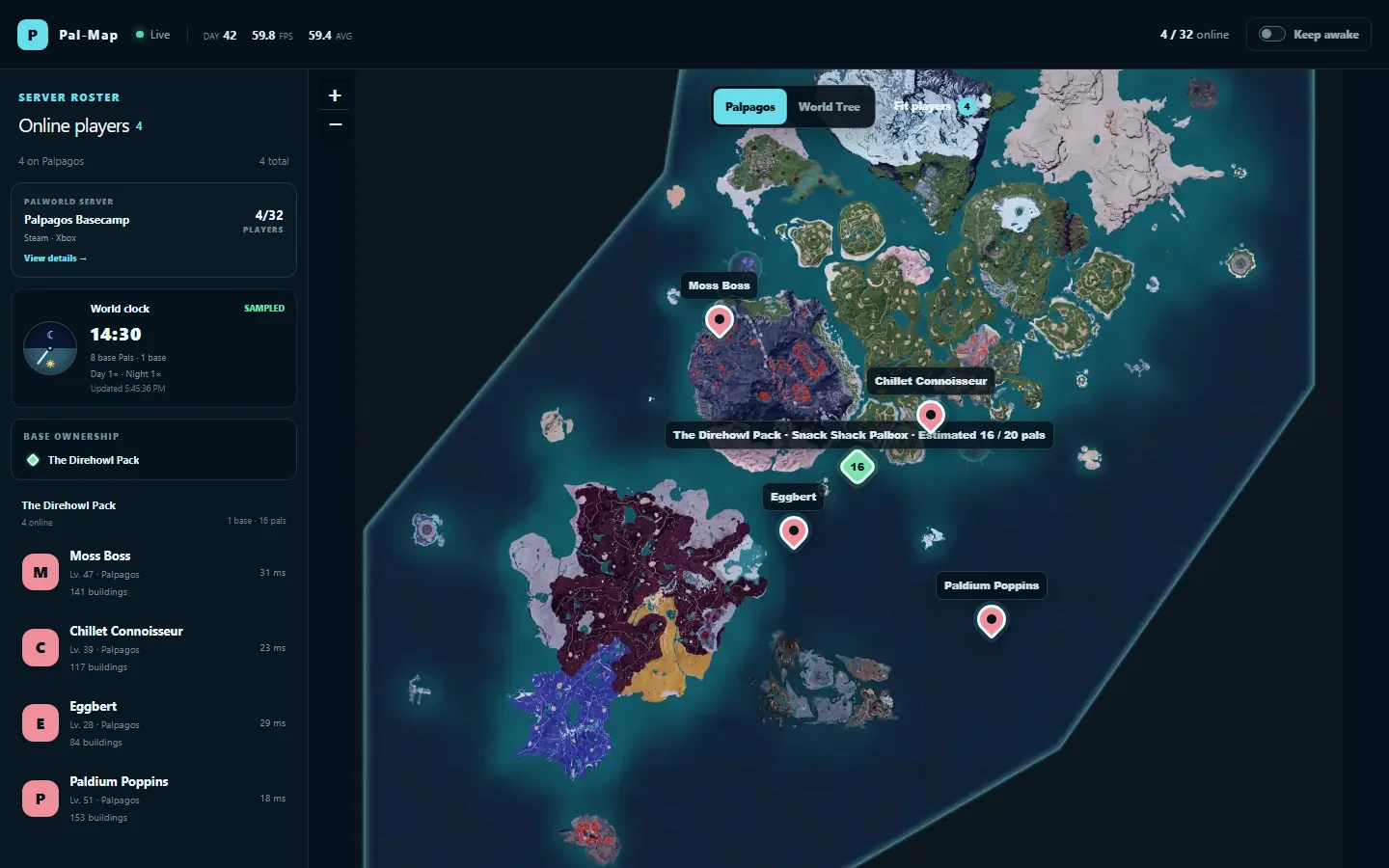
See who is online, where they are, and follow movement without asking everyone to stream their screen.
Pal-Map turns your Palworld server into a private, hosted live map for players, bases, guilds, world conditions, and the places worth finding.
Already invited? Sign in as an administrator
Outbound only
No public REST port
Latest state
Not location history
Access control
Public, unlisted, or private
Hosted viewer
One stable map link
Built for the whole guild
Keep the map open on a second screen, check it from your phone, or share it with a friend. Pal-Map keeps the useful live context together without turning play into a dashboard chore.
01
See who is online, where they are, and follow movement without asking everyone to stream their screen.
02
Bring bases, guilds, and useful server details together so your world has one shared source of context.
03
Switch regions and reveal fast travel, resources, dungeons, bosses, merchants, and more when you need them.
PvP, without perfect information
Stack six server-controlled activities to trade perfect tracking for contested zones, shifting clues, and timed hunts.
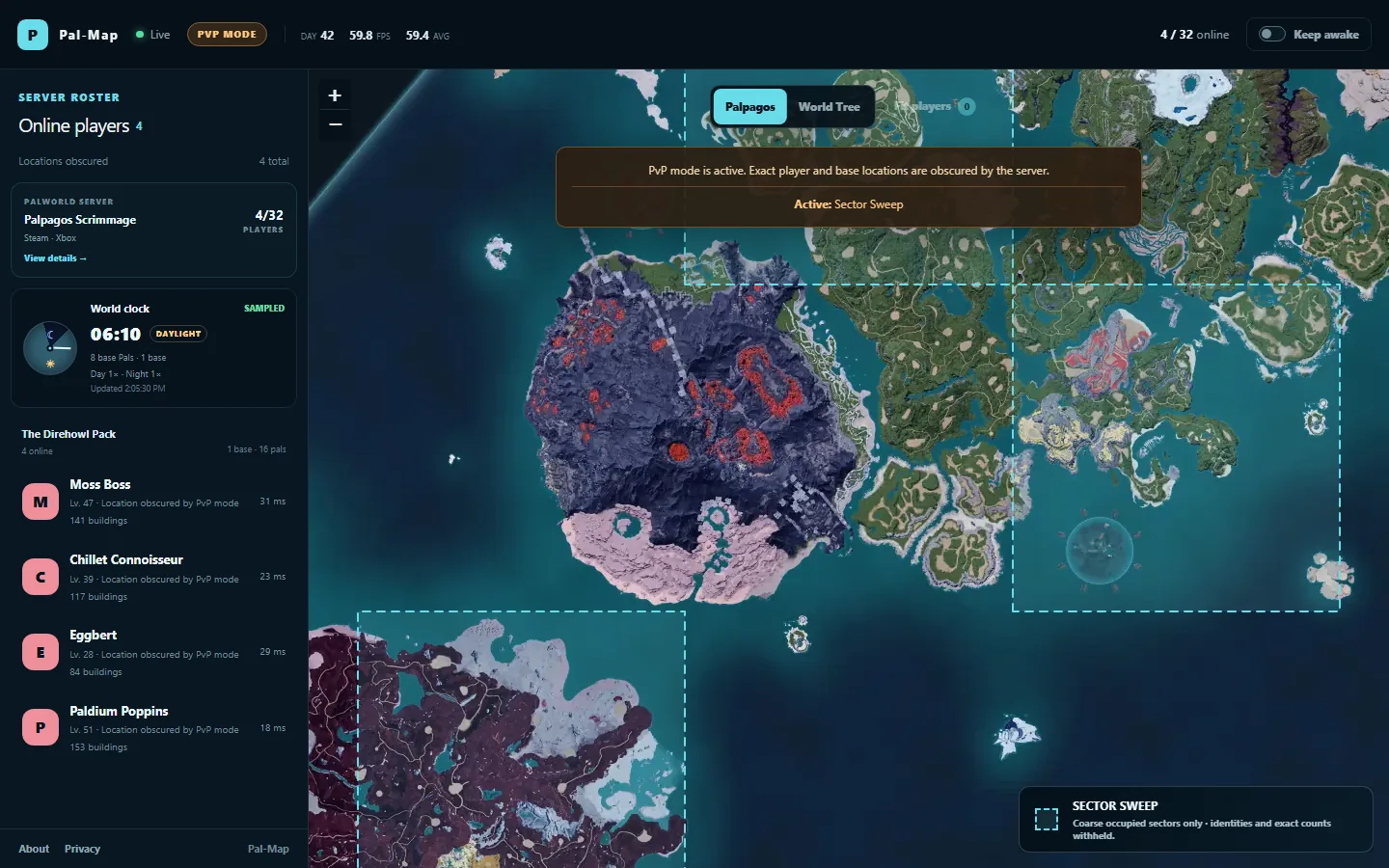
Scan the world at sector scale. Occupied grid cells light up, but the overlay carries no exact position, player identity, or headcount.
Occupied sectors, without individual player plots.
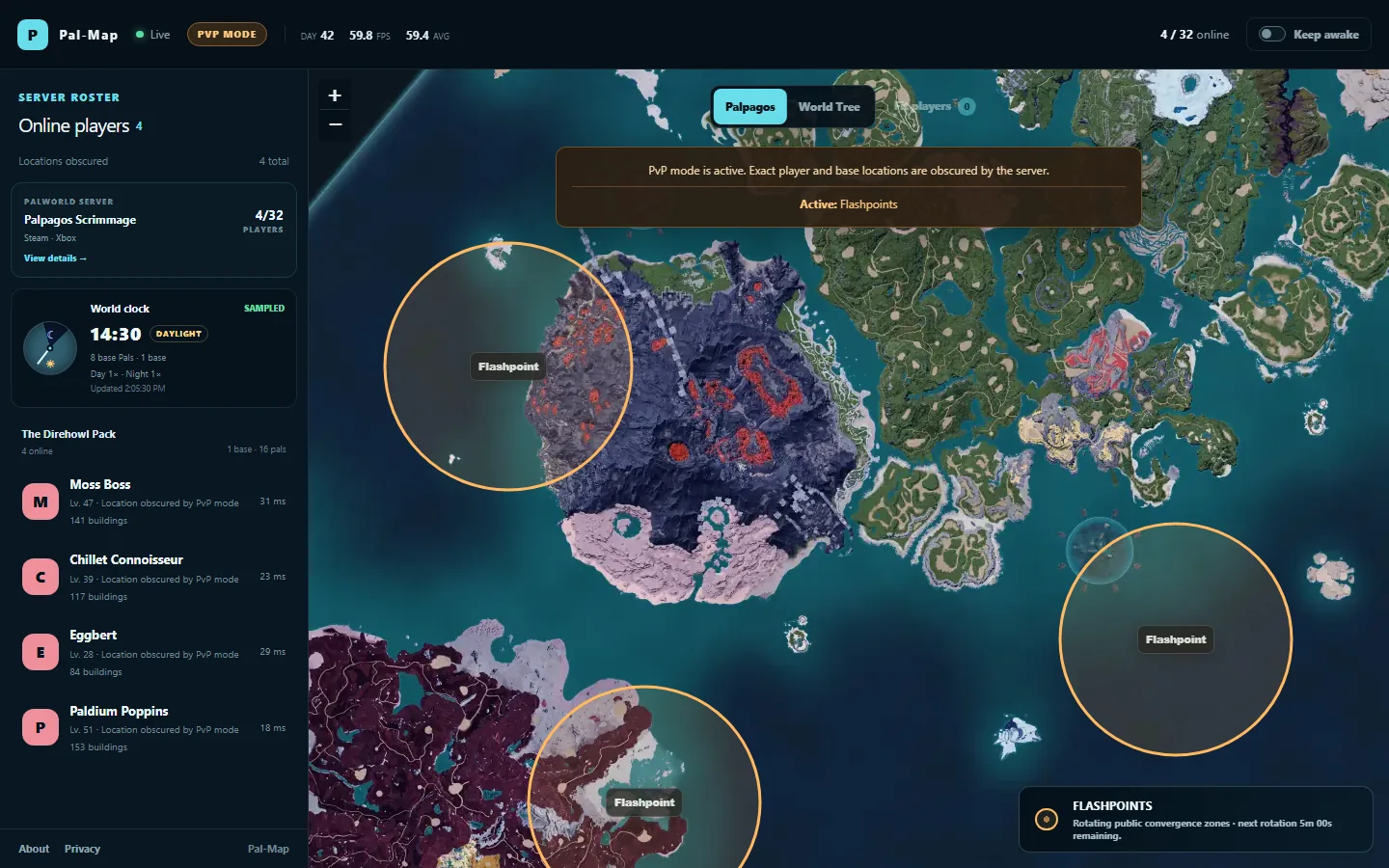
Race toward rotating public hotspots before they expire. Zones are created independently of player positions, inviting a fight without tracking anyone.
Public convergence zones count down and rotate.
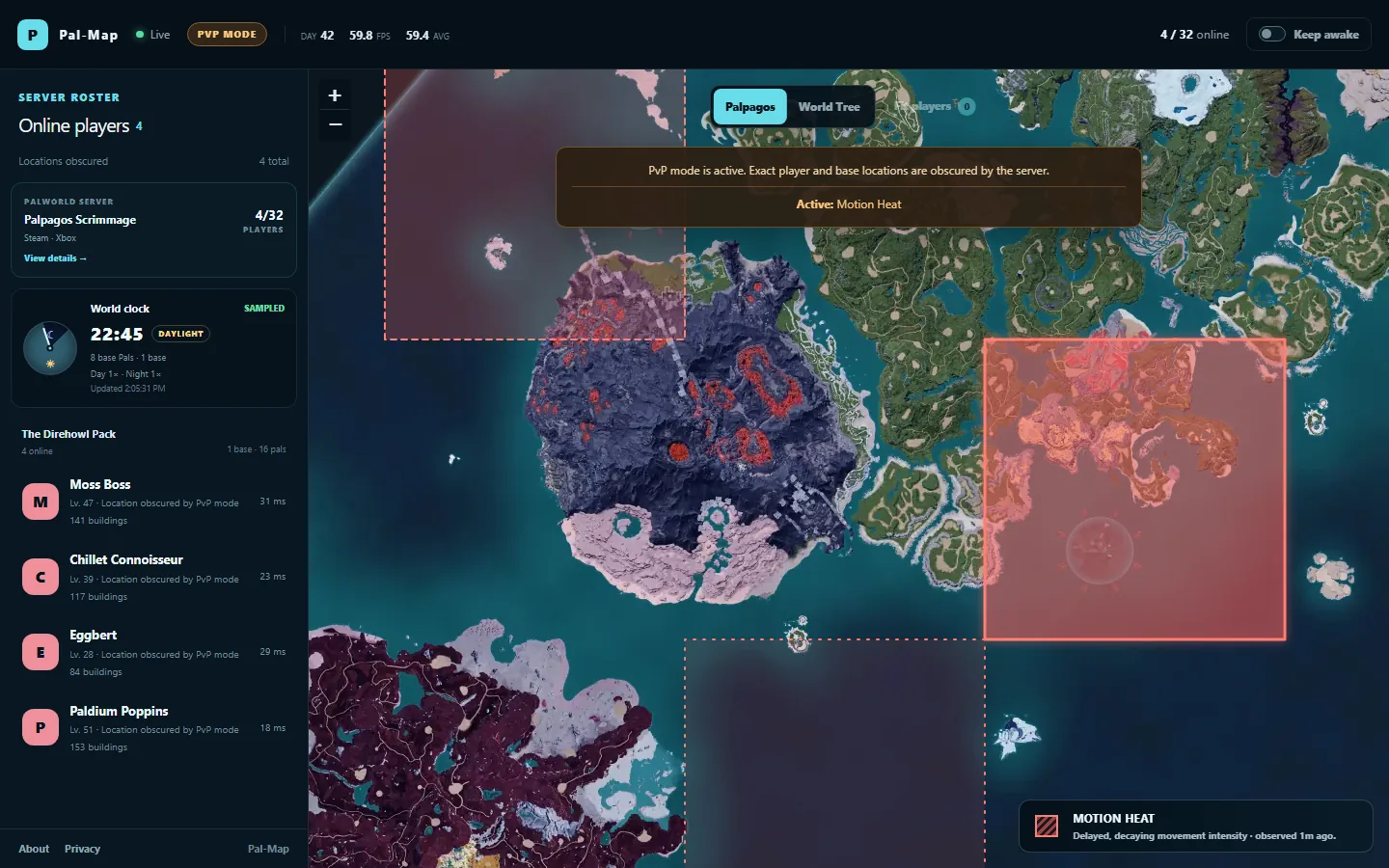
Read the battlefield’s pulse, not its footsteps. Delayed activity fades across broad sectors without showing trails, samples, identities, or exact counts.
Delayed movement intensity, aggregated into coarse bands.
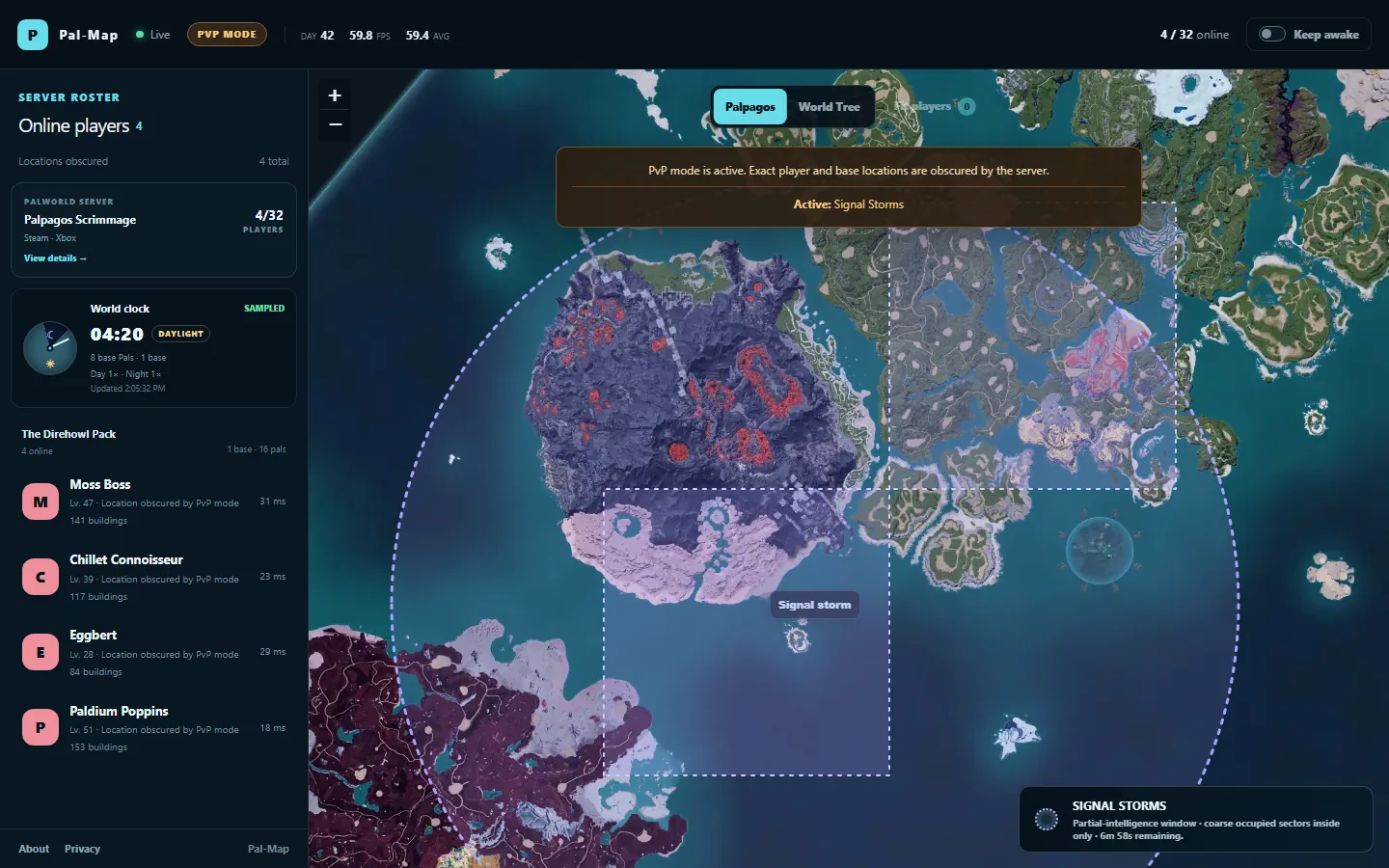
A moving signal window reveals only coarse occupied sectors inside its reach. Everything beyond the window stays unknown until the storm shifts.
Partial intelligence inside a rotating signal window.
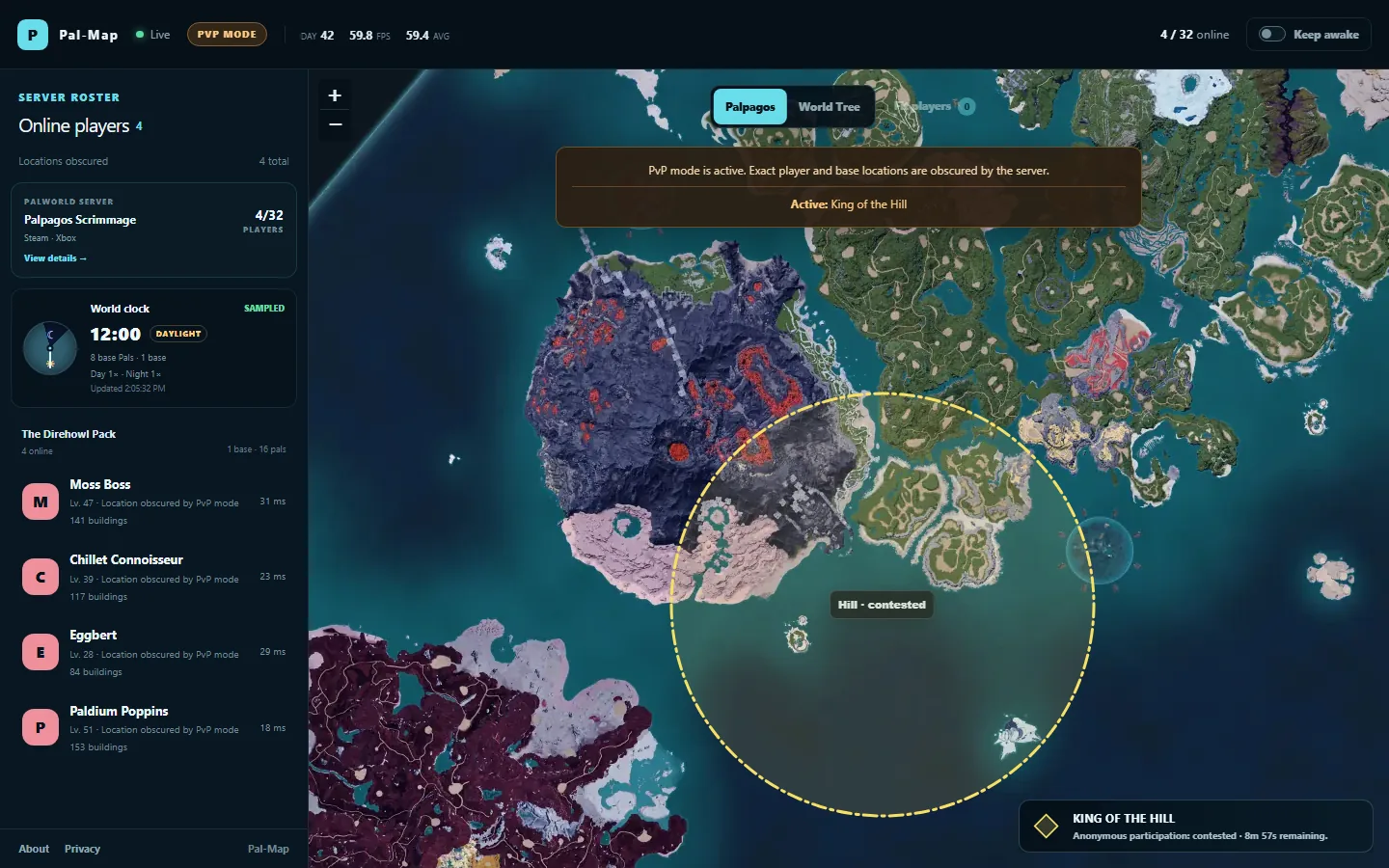
A public objective gives everyone somewhere to contest. A broad participation band shows pressure around the hill without identifying who is there or where they stand.
A public hill and anonymous participation pressure.
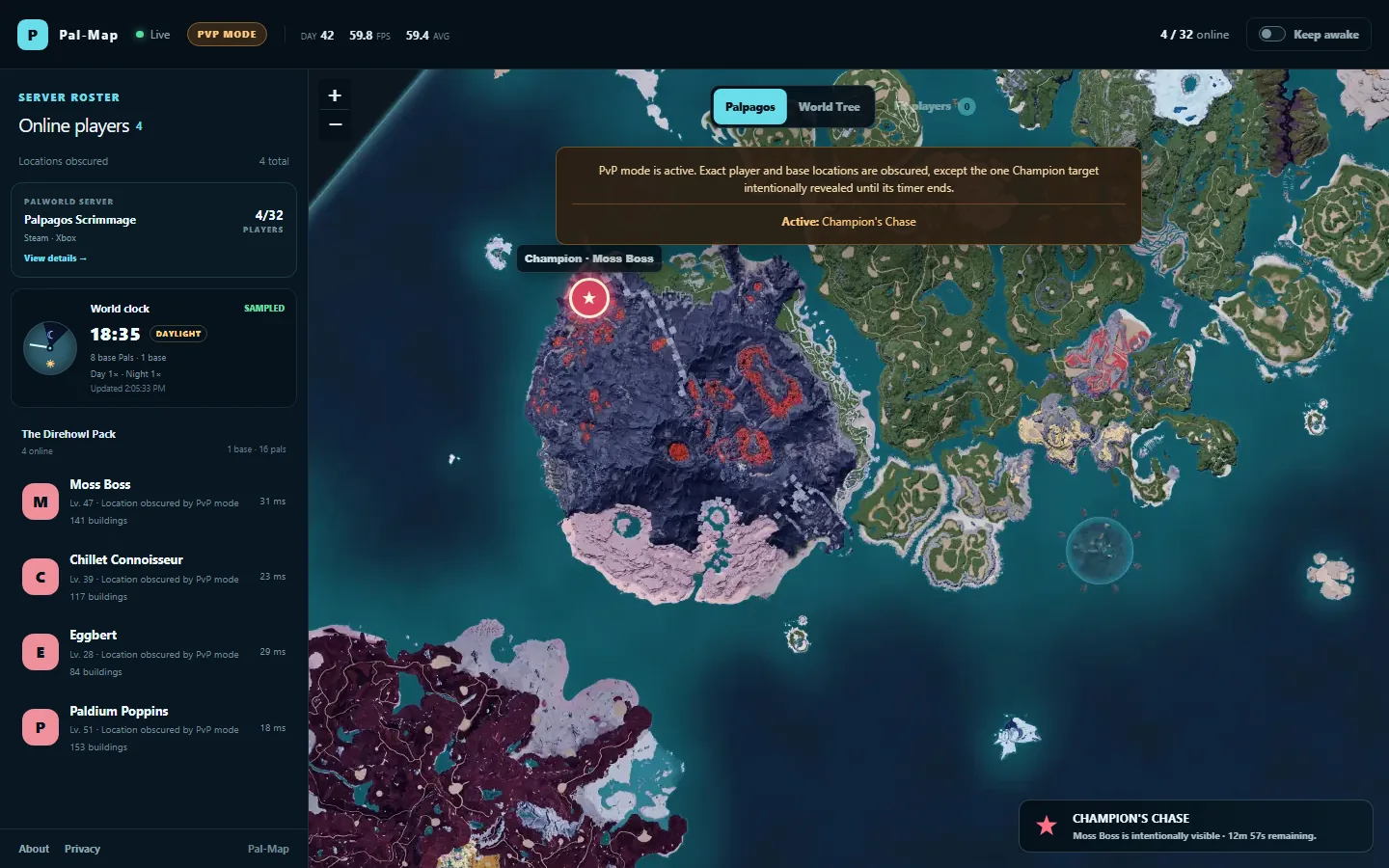
One eligible explorer becomes the Champion for an administrator-set round. Their live location is intentionally revealed until the timer expires or the activity is stopped—then it disappears, with no silent replacement.
One named target, one bounded reveal window.
For server administrators
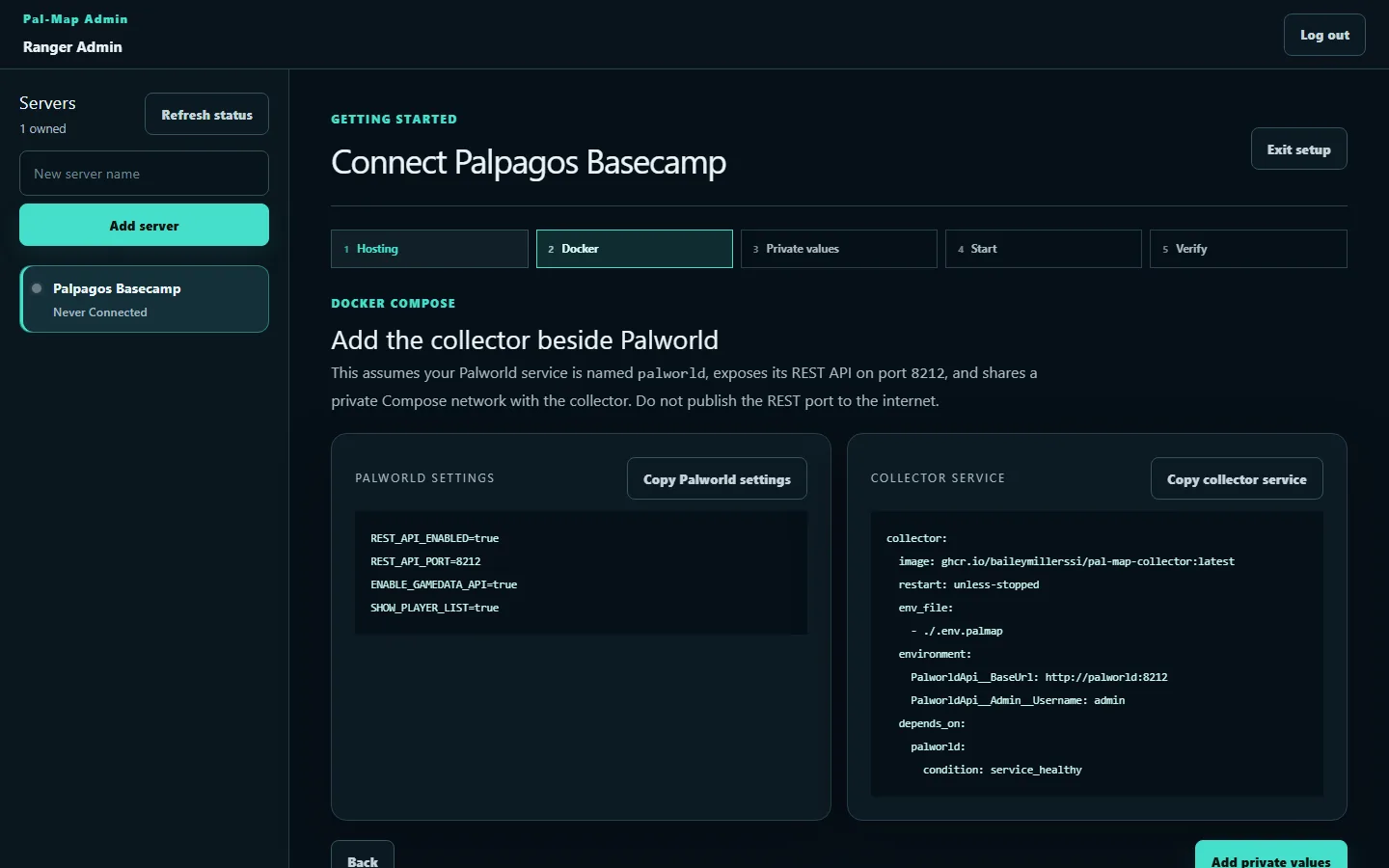
Create a server, issue one-time collector credentials, and follow the Docker Compose guide. The collector needs private access to Palworld and outbound HTTPS—never an inbound public product port.
Palworld REST credentials stay local.
The hosted service receives an allowlisted snapshot, not your REST password, raw platform identifiers, IP addresses, or server save data.
How it works
The Pal-Map collector runs beside your Palworld server and talks to its REST API over your private network.
It filters the server response into a versioned, privacy-conscious snapshot and sends it outward over HTTPS.
Your group opens a stable Pal-Map link. You choose whether the map is public, unlisted, or password protected.
Privacy is the boundary
The public collector is the privacy boundary. It turns Palworld state into the small set of fields the hosted map actually needs, and Pal-Map keeps only the latest live snapshot.
Private preview
We are onboarding a small group while we refine setup and support. Invited administrators can sign in now; viewers only need the map link their administrator shares.
Administrator sign in